Sticker designer
Sticker designer with cut lines for your plotter
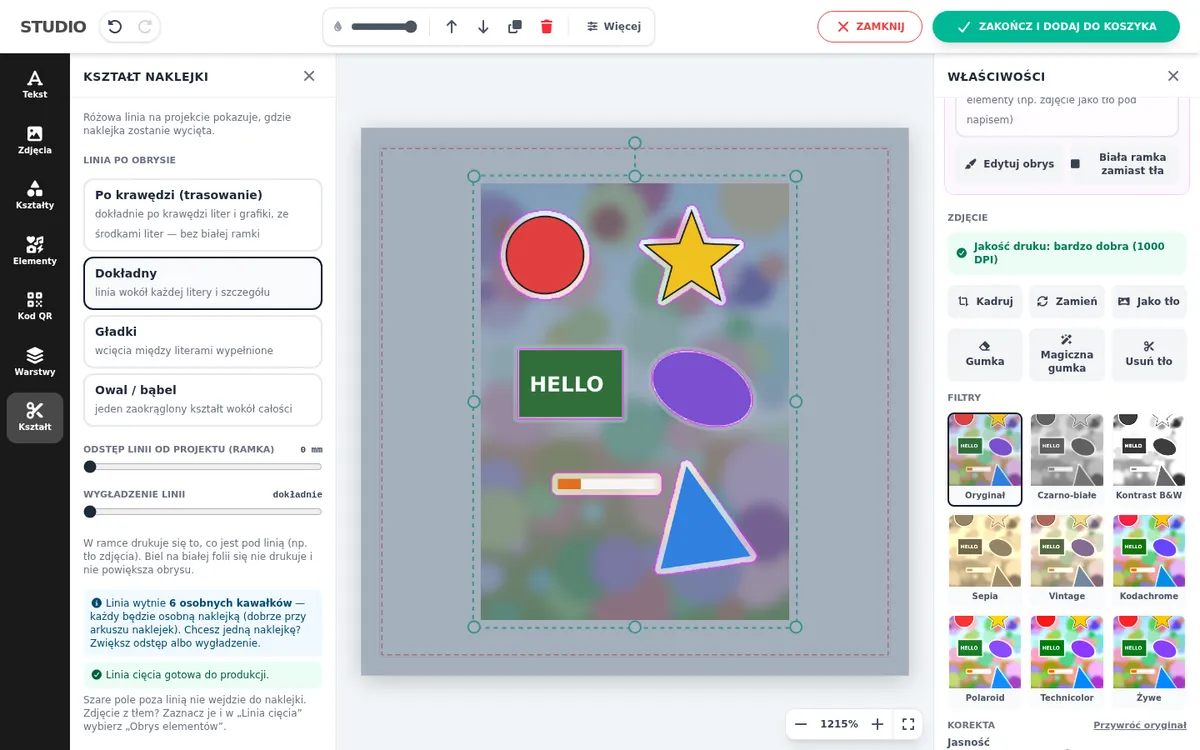
The customer designs a sticker in your shop, and you get two files of the same size: the print file and a PDF with the cut line in the CutContour spot colour. The pink line in the designer shows exactly what the plotter will cut.
- Shapes
- Contour, circle, rectangle, rounded, heart, star, shield, speech bubble, custom PNG
- Cut file
- CutContour 0/100/0/0, 0.25 pt line, 1:1 coordinates
- Modes
- Single sticker, roll, fixed sheet, sheet laid out by the customer
- Checks
- Warning for areas narrower than 1 mm
Contour-cut stickers
The customer picks a line style: along the edge (exactly around the letters, including their counters), precise, smooth or oval, plus a white border of 1.5, 3 or 5 mm. A white image background is not counted in the contour, because white is not printed on white vinyl.
From a photo with a background, such as a sticker sheet or a figure against the sky, the designer cuts out elements with an outline function. It detects edges, the background colour or the object via AI, with sliders and a live preview. A brush fixes what the automatic detection missed.
Before saving, the designer checks the line. It warns when the cut would produce several separate pieces or has areas narrower than 1 mm, and marks them in red.
Roll, sheet or a single sticker
- One sticker per file. The file is one sticker with its cut line.
- Roll, length from quantity. The customer designs one sticker and the designer repeats it. You set the roll width, e.g. 1360 mm, and the length follows from the ordered quantity. A PDF page is at most 5080 mm; larger orders get more pages.
- Fixed sheet, e.g. A3. As many sheets as needed.
- Customer lays out the sheet. Different stickers on one sheet, each with its own cut line.
A 5 mm gap and a 0 margin give a file area that matches a common price formula: (size + 5 mm) × quantity.
The cut file in your RIP and plotter
The cut line link is in the order comment, and the panel has a cut file button next to each design. In your RIP or plotter software (Roland, Mimaki, Summa, Graphtec) load the cut file as a cut path or merge it with the print file as a layer. Coordinates are 1:1, so nothing needs moving.
In IdoSell shops the shape, diameter, size and quantity can come from product parameters, and the shop’s formula calculates the price.
Frequently asked questions
Which file do I get for the plotter?
A separate PDF with the cut line in the CutContour spot colour (0/100/0/0), 0.25 pt, the same size as the print file.
Can the customer upload a photo with a background?
Yes. The outline function cuts figures, lettering or whole stickers out of it. The background can stay in print or turn into a white border.
Which files can customers upload?
JPG, PNG, WEBP, TIFF, AVIF, GIF, SVG, PDF and AI up to 50 MB. SVG, PDF and AI are converted to a 300 DPI image with transparency.
See also
Try the designer on your own products
30 days free, no card and no automatic payments. Standard costs 249 PLN net per month, Premium 349 PLN. One shop and one order system are included.