Banner and poster designer
Banner, poster and flyer designer for print
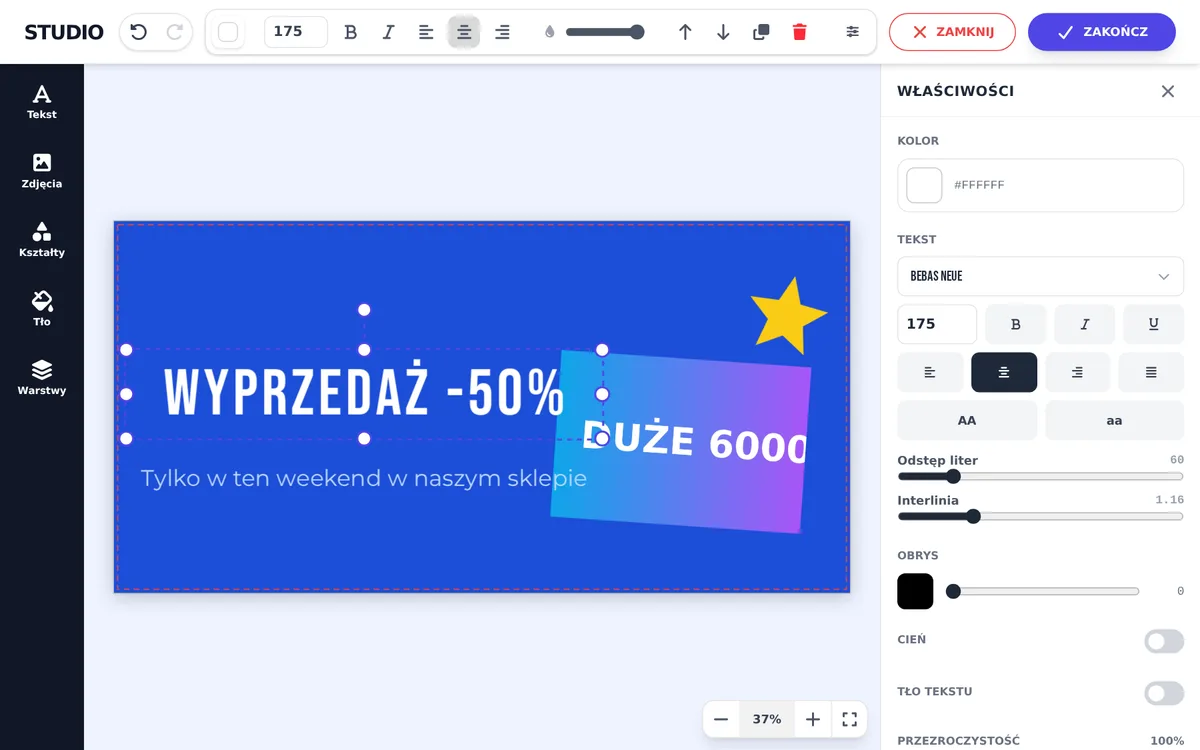
The designer opens at the product size: fixed, typed by the customer or picked from a list of sizes. A red dashed line marks the trim, and the print file is a vector PDF in millimetres with bleed.
- Size
- Fixed, typed by the customer or from an option (A3, B2, DL, 35x50 cm)
- File
- Vector or bitmap PDF, net plus bleed or exactly net
- Text in the PDF
- Editable or converted to curves
- Photo quality
- Minimum DPI with a warning or a save block
Size from the product page
- Fixed size, e.g. a 200 × 100 cm banner.
- Size typed by the customer: width and height fields on the product page. The file has the customer’s size, and the size goes into the order comment.
- Size from an option: the customer picks a size from a list. The designer reads it from the option name, such as “35x50 cm”, “420×594 mm”, “A3”, “B2”, “DL”, “3xDL” or “A4 landscape”.
An option can include folding, pages and cut lines, such as a flyer folded in half with a fold line, or a die cut. These lines go into a separate _cut.pdf file. A set in several sizes, e.g. magnets “60x30 + 60x20 mm”, gets a separate page for each size.
Print file settings
- Bleed in the file: net plus bleed (a larger file with the trim marked in the PDF) or exactly net (bleed only as a margin in the designer).
- PDF content: vectors, with text sharp at any scale, or a bitmap flattened into one image.
- Text: editable with an embedded font, or curves when your print software lacks the font. Gradient lettering, such as gold, is always a 300 DPI image, because CorelDRAW and RIP software broke gradients in text.
- Bitmap resolution: 150 DPI is enough for banners, 300 DPI for posters. A file is at most 12,000 px on the long side.
Fewer corrections before printing
In the template you set a minimum photo DPI. Below it the customer gets a warning and must accept the quality, or, with the save block on, cannot save the design.
The safety margin is a green line inside the trim. It shows where to keep text and logos, away from eyelets and folds. You can add a short note to the legend in the designer’s corner, such as “Eyelets will be in the corners of the banner”.
If something is wrong, you ask for a correction in the panel and pick a reason, such as missing bleed or a typo. The customer gets an email with a link to their design, and the corrected file replaces the old one under the same link in the order.
Frequently asked questions
What bleed should I set for a banner?
You set the bleed in the template in millimetres, separately for each size option. The designer adds it on every side of the net format.
Can the customer enter their own size?
Yes. In the template you choose a customer-typed size and point to the width and height fields on the product page. Works in IdoSell, WooCommerce, PrestaShop and Shoper.
What if the customer’s photo is too low quality?
The designer calculates the photo’s DPI at print size. Below your minimum it shows a warning or blocks saving.
See also
Try the designer on your own products
30 days free, no card and no automatic payments. Standard costs 249 PLN net per month, Premium 349 PLN. One shop and one order system are included.