Base.com integration
Personalization for orders in Base (formerly BaseLinker)
Base collects orders from Allegro, Amazon, shops and manual sales. The designer reads them from Base and sends the customer a link to design the product. After the design is saved, the print file link is appended to the seller comment, and your earlier comment stays.
- Where the customer designs
- After purchase, from a link in an email
- Installation
- Token from My account → API
- Added to the order
- File link in the seller comment, status change
- Order sources
- Allegro and Amazon accounts, shops, manual orders
Connecting
- In Base go to My account → API and generate a token, e.g. “KreatorPRO”.
- In the designer panel, in the Integrations tab, connect Base and paste the token.
- Import products (from Base catalogs) and assign templates in the Products tab.
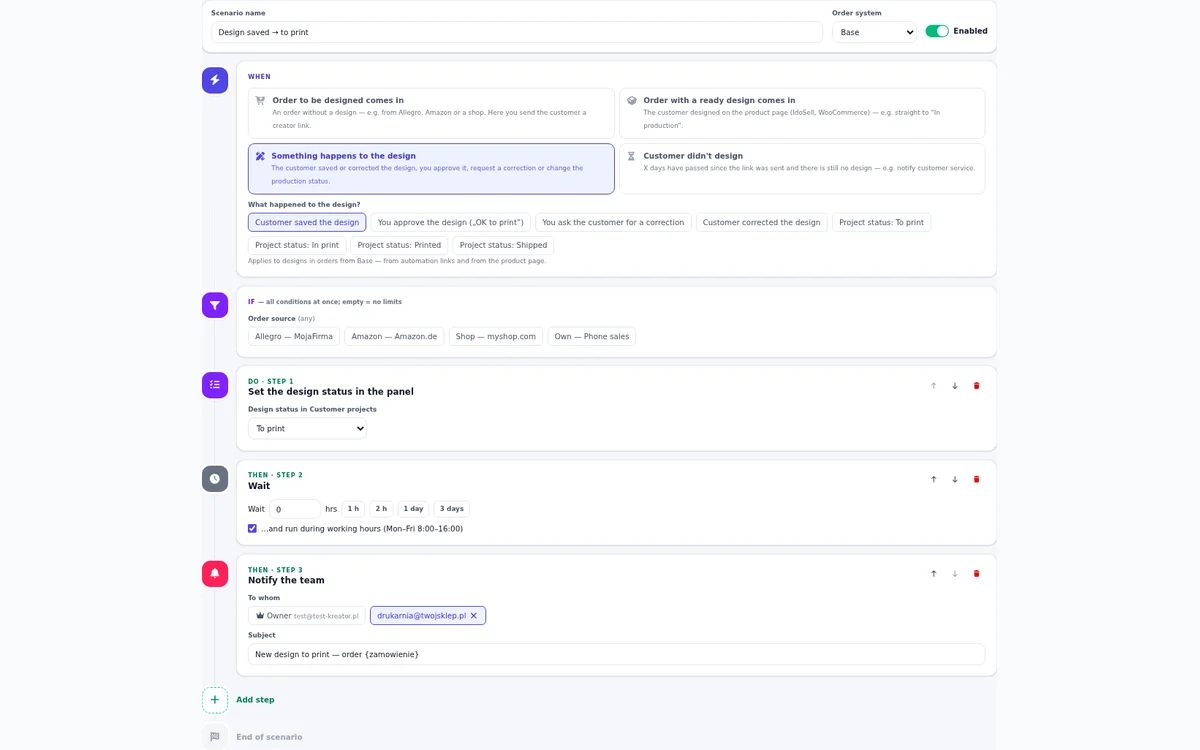
- In the Automations tab turn on a scenario, for example a link after payment.
Which orders get a link
You build the rule from conditions: source (a specific Allegro account, Amazon, manual sale), status, product with a template, and if needed the customer’s country, order value, number of items, shipping method and a word in the notes, such as “urgent”.
Manual orders are handled right away, even unconfirmed ones. Orders from Allegro, Amazon and shops are handled after they are confirmed in Base, because before that they can be incomplete.
We match the ordered product by its Base catalog ID, SKU, EAN or name, so the template you assigned reaches the right line.
An IdoSell or WooCommerce shop plus Base
If your shop has the designer button on the product page and its orders also flow into Base, set Base to the design link only mode. The designer then does not import products from Base, sends no emails and changes no statuses. It only adds the file link to the note of your shop’s order, once. For each source you can also choose: from my shop, fetch orders (e.g. Allegro) or ignore.
Frequently asked questions
Are BaseLinker and Base the same?
Yes. BaseLinker was renamed Base (base.com). The integration uses the same API token.
Will the customer get the email in their language?
Yes, if you add a translation. Emails and the designer open in the language of the order country: Polish, English, German, Czech, Slovak, Ukrainian or Romanian. Without a version in their language they get English, and without English, Polish.
What if the customer never designs the product?
The rule can send 1 to 3 reminders. A separate “customer did not design” scenario notifies your team after a set number of days.
See also
Try the designer on your own products
30 days free, no card and no automatic payments. Standard costs 249 PLN net per month, Premium 349 PLN. One shop and one order system are included.